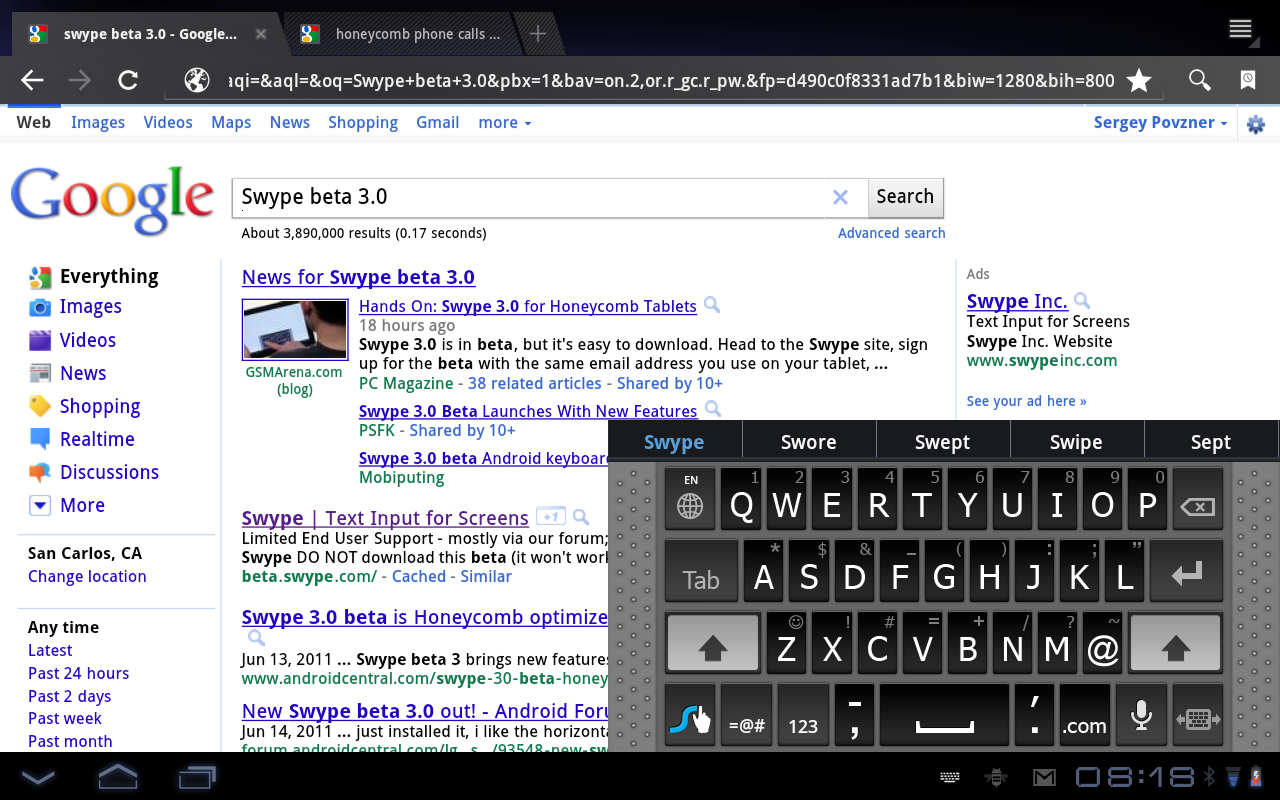
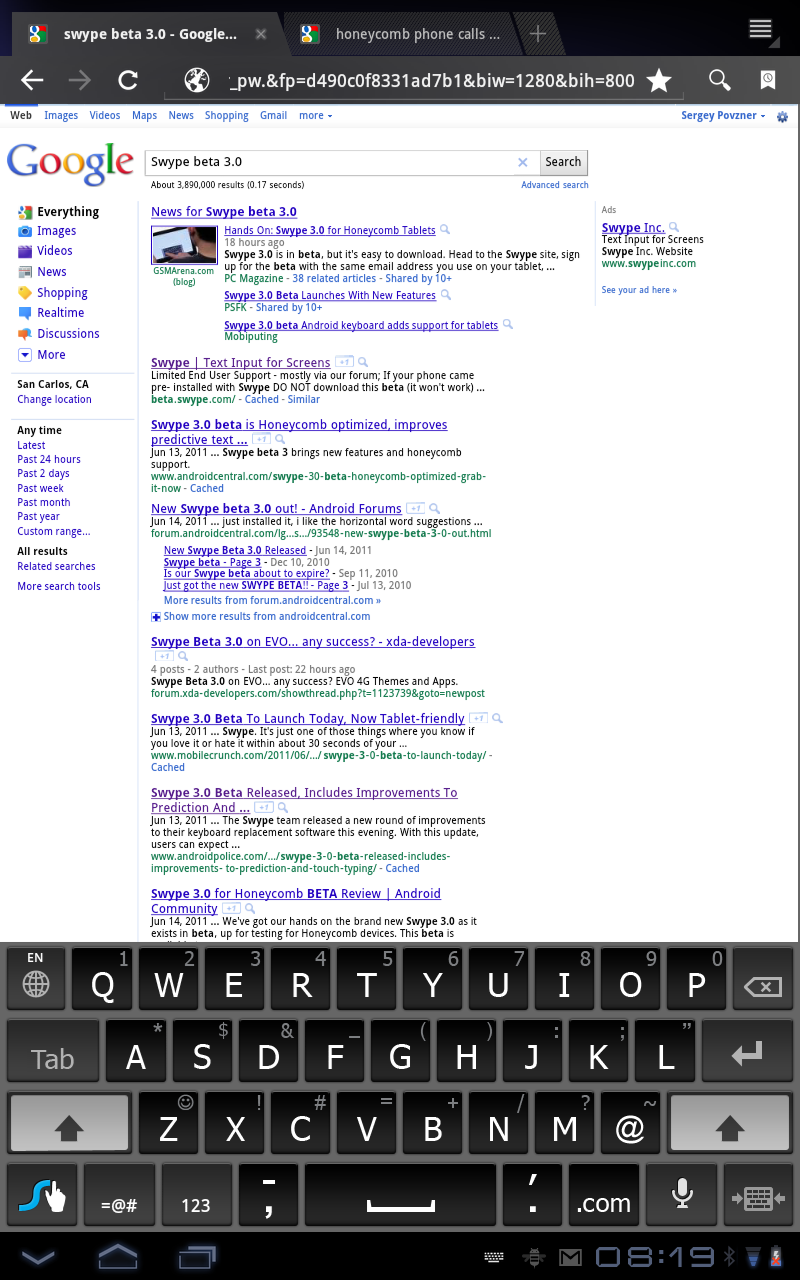
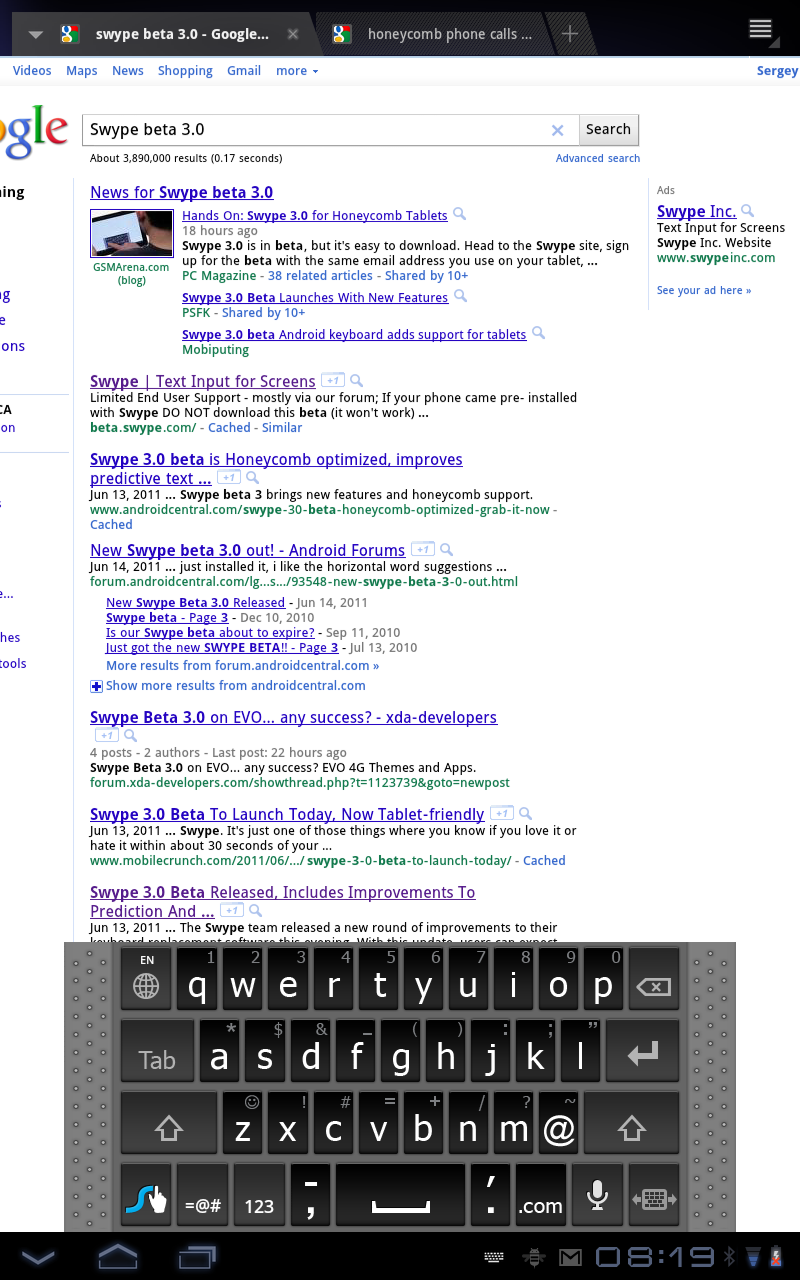
Tip: how to prevent Swype keyboard from disabling on reboot

Swype is a very fast way to type on a touchscreen and once you get used to it going back to the regular keyboard is impossible. One nagging issue I’ve been having with Swype was that it was disappearing from the list of keyboards after reboot. As a result I had to re-enable it in Settings -> Language and Keyboard and then select it as a default keyboard.

It turns out that this was caused by Swype being moved to SD card. Once I moved it back to the phone memory, the problem disappeared.

The reason I moved it to the SD card in the first place was to free internal phone memory: Swype is over 3MB for English and Spanish and over 12MB for full version (English, Spanish, Chinese, German, UK English, Dutch, Portugese, Italian, Russian and French). But if any app is worth keeping in internal phone memory, it’s Swype.

Swype beta is currently open to all Android users.

Credit: android.stackexchange.com.

Posted in Android, How To, Mobile, Tips | Leave a comment

Sony Ericsson will allow to unlock the bootloader in Xperia smartphones

Karl-Johan Dahlström of Sony Ericsson announced today that starting this spring unlocking the bootloader on Xperia phones in a “secure and legal way” will be allowed.

It will be possible to unlock the boot loader for certain releases of our 2011 Xperia™ phones, such as Xperia™ arc, Xperia™ neo, Xperia™ pro and Xperia™ PLAY.

This is a great news for Android world. Until now only Nexus One, Nexus S and Motorola Xoom officially supported unlocking of the bootloader with the “fastboot oem unlock” command. Let’s hope Sony Ericsson will set a trend to be followed by other Android manufacturers.

There will be some restrictions, e.g. SIM lock protected phones won’t support bootloader unlocking. This probably means that only phones not subsidized by the carriers will support unlocking, which is not an ideal scenario for the US market. Nevertheless, this is a great move both for Sony Ericsson and Android ecosystem.

Posted in Android, Mobile, News | Leave a comment

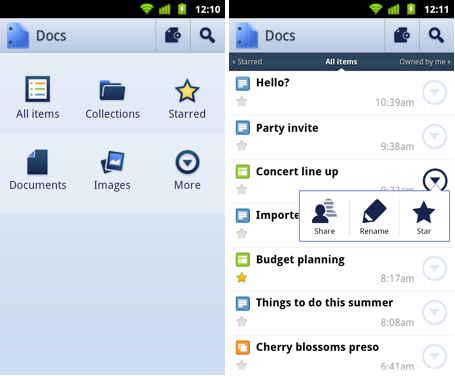
Old Google documents can now be upgraded to the latest version

If you are an active user of Google Docs, you probably remember a major update a year ago with great new features such as real-time collaboration, advanced formatting tools (ruler, margins indentation, tab stops) and improved revision history. Later, another update brought ability to edit documents in the browser of mobile devices, such as Android, iPhone and iPad.

However, the major problem with those new features was that they were available only in the newly created documents and there was no way to upgrade old documents to the new format, except by exporting and re-importing files. Finally, conversion to the new version is now available.

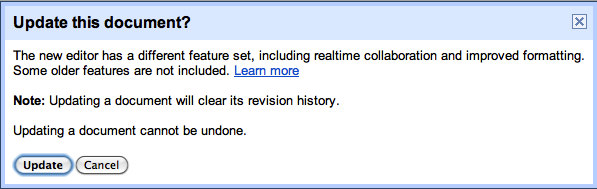
If you open your old Google document, you should see the following message right above the menu bar:

Updade Google Docs to the latest version

The two formats of the Google Docs are quite different: old Google Docs format allows direct editing of HTML and CSS, which is useful for web publishing. New version looks more like a standard word processor with more advanced formatting tools, but without ability to edit HMTL or CSS of the document. Some conversions may be imperfect and that’s why Google Docs first prompts you to preview the document in the new version and only then to upgrade it if you are happy with the results.

Update Google Docs

Few things to bear in mind before performing the upgrade:

  • New version does not support editing of HTML and CSS.
  • The revision history of your document will not be carried over when you upgrade.
  • Once you upgrade a document, you can’t open it again in the older version of Google documents.
  • You need to upgrade each individual document that you want to use in the new version of Google documents (you need to be the owner of the document). You cannot upgrade all old documents in one operation.

The good news about the upgrade process:

  • Old URLs will still redirect to the document after upgrade.
  • The sharing settings of the original document won’t change after upgrade.

SourceGetting to know Google Docs: Upgrade a document to the new version of Google documents

Posted in News, Tips | Leave a comment

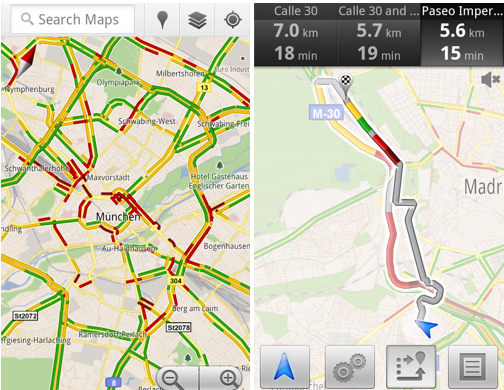
Google Maps now automatically routes you around the traffic

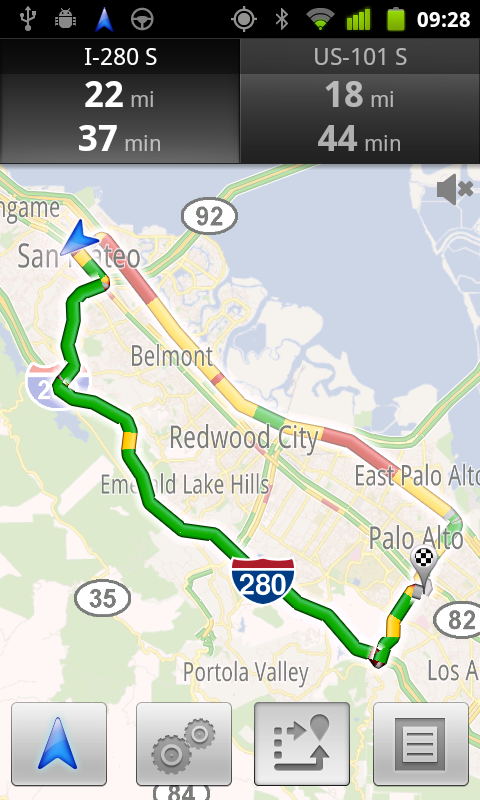
Google Maps for Android just got better: Navigation mode now uses real-time traffic information to automatically route you around the traffic. No update to the Google Maps app is required, as the change has been made on the server side.

In the blog post announcing this change, Roy Williams says that “before today, Navigation would choose whichever route was fastest, without taking current traffic conditions into account. It would also generate additional alternate directions, such as the shortest route or one that uses highways instead of side roads.” Having used Navigation extensively, I don’t think that’s quite true.

From my experience, prior to this change the default choice for directions in the navigation mode was the shortest route. To pick the fastest route based on the current traffic conditions users had to go to Route Info -> Alternative Routes, where traffic-based driving times were displayed. The main difference is that with this update the default route selected by Google Maps Navigation is the fastest one calculated based on the curent traffic conditions. It’s possible that routing algorithm has also been updated to more accurately use traffic information.

After using Google Maps Navigation, regular GPS devices feel ancient. With the high-resolution screens, detailed and up to date maps, great user interface, and most importantly extensive real-time traffic information for most freeways and major streets, Google Maps Navigation is a joy to use. Did I mention it’s free?


Google Maps Navigation showing driving times based on the real-time traffic conditions

Google Maps Navigation showing driving times based on the real-time traffic conditions


Posted in Android, Mobile, News | Leave a comment

How to manually update Nexus One to Gingerbread 2.3.3 (FRG83G to GRI40)

While the official Gingerbread 2.3.3 release continues to roll out to Nexus One phones, impatient Nexus One owners can upgrade manually without waiting for the over-the-air update.

The update procedure was described in details for the Froyo update and remains the same with the obvious exception of the update file downloaded in step 2. Make sure that you are running FRG83G build (Settings -> About phone -> Build Number), download the FRG83G-to-GRI40 update file and follow the rest of the procedure.

Important: before performing an update, remember to charge the phone. It is also a good idea to backup your bookmarks, sms and call history, etc. using one of many backup apps such as My Backup Pro. Titanium Backup is another extremely powerful backup app, but requires a root access. Both free and purchased apps and contacts will be restored from the cloud automatically. If you have a root access, make a nandroid backup of the system.

For Nexus One owners running non-stock ROMs, dsixda at XDA has prepared both stock and rooted update.zip files that are flashable  through custom recoveries.

Nexus S also got upgraded to version 2.3.3 and the update files are GRH78C to GRI40 and GRH78 to GRI40.

Source: XDA-developers.

Posted in Android, How To, Mobile | 1 Comment

Gingerbread 2.3.3 released for Nexus One and Nexus S

The 2-month wait for the official Gingerbread update for Nexus One is over. Google’s Nexus twitter account announced that Gingerbread 2.3.3 OTA update started to roll out last week and will complete in a few weeks. In the meantime impatient Nexus One owners can install this update manually.

This release brings the number of Gingerbread powered Android devices to 2. On the other hand, for users willing to root their phones, popular customized ROM Cyanogenmod has relatively stable Gingerbread-based CM7 RC1 release for 17 smartphones.

In addition to the previously advertised Gingerbread features, apps now take less space in the internal memory after moving to the SD card, which is a great news for Nexus One since it has only about 190MB of internal storage for apps. Kenny Root of Android team recommends to move apps already on SD card to internal memory and then back on SD to save space.

Nexus S also got 2.3.3 update, which fixes the random reboot bug, adds ability to write NFC tags and disables automatic sync with Facebook contacts.

Android 2.3 Gingerbread

Posted in Android, Mobile, News | 1 Comment

Using Android home screen shortcuts for direct dialing, navigation, bookmarks and more

One of the best features of Android is customization, which among many things allows to control how the home screen behaves and looks using widgets, shortcuts and 3rd party launchers such as ADW.Launcher and LauncherPro. Let’s take a closer look at home screen shortcuts, which are accessible via long press on the home screen and selecting Shortcuts.

Android home screen shortcuts

The shortcuts shown in the home screen above are:

  • Direct phone number dial (Shortcuts -> Direct dial). While contacts usually have more than one number (e.g. home, work, mobile), direct dial shortcut calls selected number with a single tap. The shortcut combines contact’s icon with an overlay of number type (in this case W for Work).
  • Music playlist called Podcasts (Shortcuts -> Music playlist)
  • Bookmarks to reader.google.com and docs.google.com (Shortcuts -> Bookmark)
  • Navigation to Home and Work (Shortcuts -> Directions & Navigation)
  • Dropbox folder called “Public” (Shortcuts -> Dropbox Folder)
  • Springpad note called “to buy” (Shortcuts -> Springpad)
  • Gmail folder labeled Bills (Shortcuts -> Gmail label)
  • Manage Applications menu of the Settings (Shortcuts -> Settings)

Shortcuts are convenient  for speeding up frequent actions. For example, the result of a single tap on Home navigation icon would normally need 4 taps (Car Home -> Navigate -> Contacts -> Home). For bookmarks: one tap instead of 4 (Browser -> Menu -> Bookmarks -> Reader) and so on.

In addition to shortcuts available out of the box (e.g. Bookmark, Navigation, Settings), downloaded apps such as Springpad, Evernote, and Dropbox also support shortcuts. As a result,  the list of available shortcuts varies from one phone to another, but in my case the full list is: Applications, Bookmark, Contact, CyanogenMod settings, Direct dial, Direct message, Directions & Navigation, Dropbox Folder, Email, Foursquare Places, Gmail label, K-9 Accounts, Latitude, Music playlist, Note shortcut (Evernote), QuickPress, Settings, Springpad, Task (Tasker), Toggle Google Voice, WiFi Analyzer.

Posted in Android, Mobile, Tips | Leave a comment

Nokia to develop smartphones running Windows Phone 7

[Update] The reports were correct: statements from Nokia and Microsoft.

Intensifying rumors suggest that Nokia may announce on Friday a partnership with Microsoft and will begin shipping phones running Windows Phone 7 operating system. This would mark a dramatic change of direction for Nokia and the partnership with Microsoft would put future of Nokia’s MeeGo platform in danger.

The first report about talks between Nokia and Microsoft was published in December by Eldar Murtazin. The report was not confirmed by other sources and was met with some skepticism in the media. However, on Tuesday Engadget obtained an unusually honest memo sent by Nokia’s CEO Stephen Elop to his employees. In the memo Elop, who is a former Microsoft executive, is making few key points: Nokia fell behind in high-end smartphone market and is facing growing competition in mid- and low-end markets; in just 2 years Android has taken over Nokia’s leadership position in smartphone volumes; iPhone and Android are successfull not because of their hardware, but because of the ecosystems built around their platforms; Nokia’s MeeGo platform is not coming fast enough to the market; and finally:

… we’re going to have to decide how we either build, catalyse or join an ecosystem.

The “joining an ecosystem” bit caused a storm in the media and multiple sources (Bloomberg, WSJ) now report that talks and possible partnership with Microsoft are real. Nokia is holding investors briefing on February 11 and if an agreement is reached in time, Stephen Elop would announce the deal Friday. WSJ article also mentions Android as a possible choice for Nokia, but after Google’s Vic Gundotra tweeted “two turkeys do not make an Eagle”, Android seems an unlikely candidate (and there’s some history behind the two-turkeys!=eagle line).

Posted in Mobile, News | Leave a comment

News: Android becomes world’s leading smart phone platform

According to the analysis by Canalys, 33.3 million Android-based smart phones were shipped in Q4 2010, making Android the world’s leading smart phone platform (by number of shipments). Google’s Android had a phenomenal 615% year-over-year growth and passed both Nokia’s Symbian (31 million shipments) and Apple’s iOS (16.2 million).

Android becomes leading smart phone platform in Q4 2010
Posted in Android, Mobile, News | Leave a comment

News: Android Market webstore, Honeycomb tablet demo, in-app billing

Google held a press event this week to launch the web-based Android Market and demonstrate the new features of the upcoming Android 3.0 Honeycomb release. Below is the summary of the announcements:

  • Android Market web site is now live at market.android.com. This is a welcome (and long-awaited) improvement of the Android Market which allows searching Android apps in your favorite web browser. Once you login to your Market account, apps can be instantaneously installed over-the-air to your Android devices with a single click. Account information also shows a history of purchased and installed apps.
  • API for in-app billing was announced. Once officially launched by the end of the quater, it will allow billing transactions to occur from within Android apps and be tracked in the Android Market account.
  • 10.1″ Motorola Xoom tablet running Android 3.0 Honeycomb was demonstrated. Some of the new features included: redesigned UI with new notification system, Youtube video wall, gtalk with video chat, new Google Books app, and new music player, gmail and camera apps redesigned for the the tablet screen resolution. Few of the Honeycomb screenshots:

Android 3.0 Honeycomb home screen

Read More »

Posted in Android, Honeycomb, Mobile, News | Leave a comment

News: Nexus S random reboot issue, check in using Google Maps, 90% of Android devices are 2.1+

Notable news:

  • In preparation to the Android 3.0 Honeycomb launch, Google released a preview of the Android 3.0 SDK to let developers start testing applications on the tablet form-factor and get familiar with the new APIs.
  • In response to events unfolding in Egypt, Twitter  and Google have launched speak2tweet service allowing to tweet by leaving a voicemail on one of the 3 international phone numbers (+16504194196 or +390662207294 or +97316199855). The service will then instantly tweet the message using the hashtag #egypt. No Internet connection is required.
Posted in Android, Mobile, News | Leave a comment

[Updated] Google Voice number porting is now available to all users

[Update] Number porting is now available to all existing Google Voice users [/Update]

Google has quietly enabled ability to port existing mobile numbers to Google Voice. Currently, it is available to selected Google Voice users only. The inability to port existing numbers has been the main reason preventing more widespread adoption of Google Voice.

Google Voice provides numerous useful features such as voicemail transcription, one number calling multiple phones, and low international rates. However, many features were available only when used with the Google number.  Switching to a new Google Voice number was always a hassle, because a new number had to be provided to all contacts. Number porting solves this problem and allows to start using your existing mobile phone number as a full featured Google Voice number.

Few caveats:

  • Porting mobile phone number will disconnect your mobile service plan, which may result in early termination fees. Double check that you are out of contract prior to porting.
  • Landline numbers are not supported yet.
  • Number porting is available to selected users for a limited time, but full launch can be expected soon. Here’s a statement from Google obtained by Techcrunch:

“We’re continually testing new features to enhance the user experience. For a limited amount of time, we’re making the Google Voice number porting process available to users. We don’t have any additional details to share at this time, but plan to offer this feature to all users in the near future.”

Google Voice logo

Source: Techcrunch.

Posted in Android, Mobile, News | 1 Comment

Swype beta open to all Android users

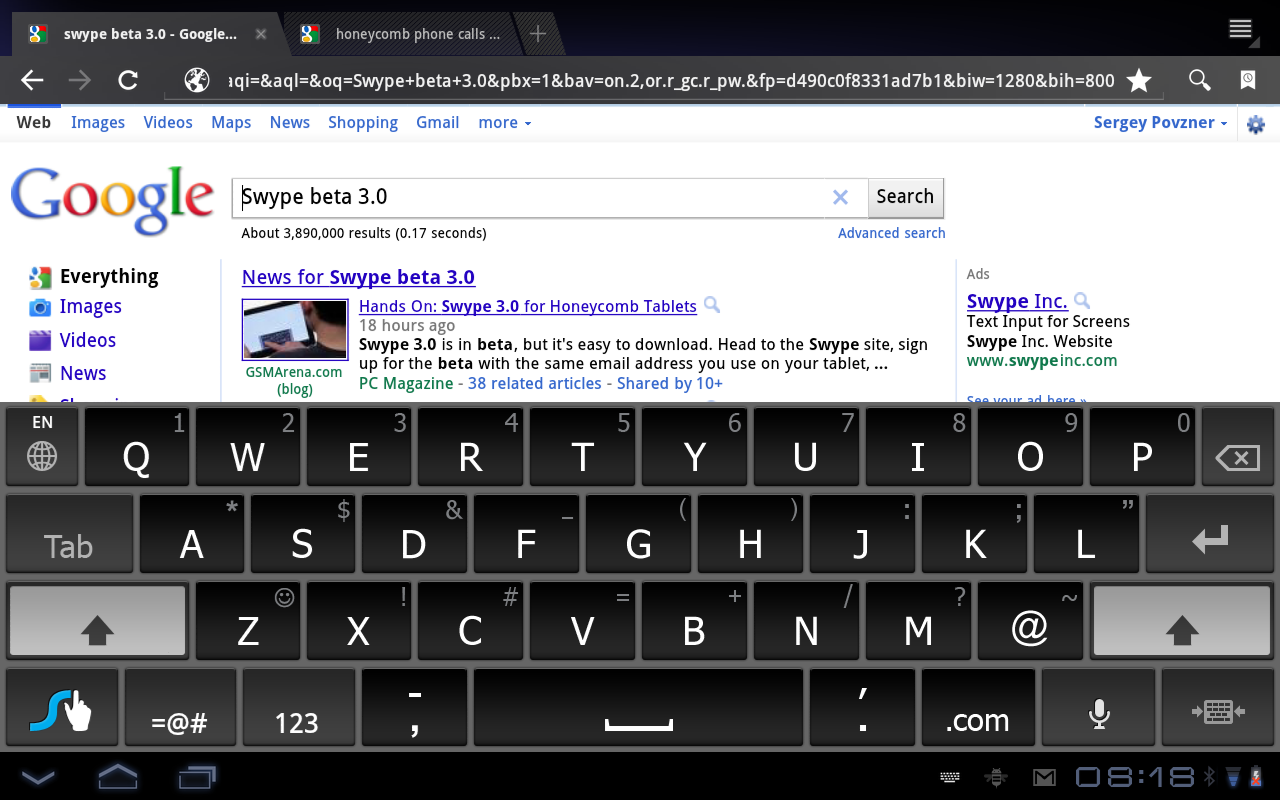
Swype is an innovative and efficient text entry method and is an alternative to a regular software keyboards of Android phones. Instead of tapping one letter at a time, Swype lets you enter one word at a time by continuously moving your finger over letters of the word and lifting your finger up at the end of the word. According to Swype, this results in typing speed of over 40 words per minute. If you haven’t used Swype before, watch the demo video:

On many phones such as Droix X, Galaxy S and MyTouch 4G Swype comes pre-installed. The rest of Android users can now for a limited time join Swype beta testing program. Swype usually limits number of beta testers, so hurry up and create an account at beta.swype.com. You will be able to continue using Swype even after registration for beta testing closes.

Swype keyboard

The latest version of Swype is very stable and supports 7 languages (English, Spanish, Italian, Portuguese, German, French and unstable preview release of Chinese Pinyin).

One caveat: installing Swype is not as easy as installing a regular Android app. Swype doesn’t offer its keyboard through Android Market, so first you need to create a beta tester account, then download the Swype installer using link from the email confirming registration, launch te installer, login with your beta tester credentials and then download the keyboard app. Registration and installation shouldn’t take more than 5-10 minutes to complete. See full installation details (with screenshots) at swype.com.

Few useful typing tips:

  • Sloppy is ok – try to get near each letter while gliding quickly from letter to letter.
  • Spaces are usually automatic. Swype a word, lift your finger, and continue on to the next word. Swype will add the space for you.
  • Traced paths might match multiple words, popping up a Word Choice Window. The first word in the list is selected by default when you start to Swype the next word.
  • To correct a word, double-tap the word you would like to replace in your text.
  • To enter a double letter in a word, just “scribble” on the key.

For more tips see Swype Tips and Tricks and Help.

Posted in Android, Mobile, News | Leave a comment

News: Google Maps with 3D, Android Market changes, free Gmail calling through 2011

Recent news in the Android world:

  • Google Maps 5.0 for Android is released with 3D maps and offline caching.
  • Android Market update: client UI redesign, device targeting based on screen sizes and densities, increased the maximum size for .apk files to 50MB. Bad news: user friendly 24-hour refund window has been reduced to fart app’s developer friendly 15 minutes.
  • Voice Search added personalized recognition for greater accuracy.
  • Bookmarks synchronizer Xmarks released Android client (requires Xmarks Premium subscription)
  • AnderWeb, developer of the popular open source ADW Launcher released a pro version: ADW Launcher EX ($3).
  • An interesting and thoughtful Android Police interview with TweetDeck’s developer Max Howell on his experience with Android. His main points: fragmentation is not a problem, lack of restriction on number of beta testers is great (as compared to 100 testers limit on iOS). He also criticizes Android documentation, slow List View component, 16 MB heap memory limit. Thinks that Google should put more efforts into the SDK to make it easier for developers to make great looking apps.

Gmail news:

  • Free calling in Gmail extended through 2011 (available only to U.S. based Gmail users).
  • Gmail added a new feature to Google Contacts that allows to revert contact list and undo any mistakes made up to 30 days in the past.
Google Maps 5.0 for Android with 3D maps

Google Maps 5.0 for Android with 3D maps

Posted in News | Leave a comment

Nexus S with Android 2.3 Gingerbread in stores Dec 16

Google announced today that Samsung Nexus S will be the first phone to get Android 2.3 Gingerbread when it goes on sale December 16 at US Best Buy stores. It will be available for $529 unlocked or $199 with 2-year T-Mobile contract. Similarly to Nexus One, Nexus S is a developer phone with an unlocked bootloader (for easy installation of custom system images) and is not locked to a carrier (can be used on any GSM network using a SIM card).

Hardware

Nexus S specs include 4.0″ WVGA Super AMOLED screen, 1Ghz Hummingbird CPU, 16GB internal storage, Quad-Band GSM, Tri-Band 3G (T-Mobile frequencies), HSDPA, Near Field Communication (NFC), gyroscope, 5 MP rear camera w/ flash and front-facing VGA camera. Notable omissions from the specs are: HSPA+, microSD slot, 720p recording.

Samsung Nexus S

Software

Nexus S will be the first phone to ship with Android 2.3 Gingerbread and with NFC chip, gyroscope and front facing camera it is equipped to fully utilize new Gingerbread features.

For more info see Google’s Nexus S page, brief Techcrunch review (good news: no problems with gps) and watch the promotional video:

Posted in Android, Mobile | 3 Comments

Android 2.3 Gingerbread announced, SDK released

Today is a busy day for Android users and developers. Android 2.3 was officially announced with lots of new features. Android 2.3 SDK is released. Samsung Nexus S is announced as the first phone to be sold with Gingerbread on December 16 at Best Buy (unlocked or with a T-Mobile service plan).

For users, the most notable additions in Android 2.3 Gingerbread are:

  • increased speed and responsiveness
  • improved stock keyboard and select text/copy/paste functionality
  • better power management
  • support for devices with large screens such as tablets
  • Internet telephony with native SIP support (WiFi only?)
  • near-field communication (NFC) protocol (device specific, meaning that phone’s hardware has to include NFC chip)
  • support for multiple cameras (e.g. front facing camera) in stock Android
  • user interface refinements

You can find more details at the Android 2.3 highlights page and Gingerbread user’s guide.

For Android developers, new features include enhancements for gaming, support for new forms of communication (VOIP, NFC), mixable audio effects, and support for new media formats.

Android 2.3 Gingerbread home screen

Sources: developer.android.com,  Android Police

Posted in Android, Mobile | 1 Comment

News: Google Docs editing on Android/iPhone, Google Voice app finally approved for iPhone, Galaxy S owners keep waiting for 2.2 update

News:

  • Editing of Google Docs is now available on Android (2.2+), iPhone and iPad (iOS 3.0+). Editing Google Spreadsheets in the mobile browser has been available for a while now.

Google Docs editing on Android

  • Apple approved official Google Voice app for iOS. Finally, a ridiculous 1.5 year App Store ban of a very useful application has ended. Google Voice app was famously rejected by Apple in July 2009 for “duplicating” functionality prompting FCC inquiry. Apple didn’t comment on whether FCC inquiry or competition from Android, where Google Voice has been available since day one, prompted the end of the ban.
  • Samsung Galaxy S owners keep waiting for Android 2.2 update and Samsung has not yet announced dates for official update for US customers. Samsung Canada promised Vibrant and Captivate Android 2.2. updates in mid-December and Fascinate in early 2011.These delays do not help Samsung’s reputation of poor support (slow releasing or not releasing updates) of existing models. HTC and Motorola updated many of their phones to Android 2.2 in August-October.
  • Using Gmail? A Gmail security list from Google.
  • What Google knows about you and how to tweak it.
  • Google Maps for Android updated with Hotpot: ability to rate places on the go and get personalized recommendations.
  • Rovio updated Angry Birds for Android  to version 1.4.2. The update didn’t go very well with Android Angry Birds fans: while the update includes 45 new levels, the ads are now more prominent and annoying. Moreover, a lot of  users complained about various performance issues on some phones, which prompted Rovio to post on their blog that another update is coming.
Posted in Android, iPhone, Mobile, News | 1 Comment

Full version of Angry Birds now available for Android

The title says it all: full version of insanely addictive Angry Birds game with 150 levels is now available on Android Market. It works on most Android 1.6+ devices (those that support Open GL ES 2.0, which means all newer Android phones). Number of levels to increase to 200 in few weeks. For Android it is released as a free ad-supported app. If you don’t see it in the Android Market, here’s the download link from Android Zoom. Enjoy!

Angry Birds Full Android Version

Posted in Android, Apps, Mobile | Leave a comment

Speed up your Android: free up internal phone storage

If your Android phone seems to be running slower than it used to, check how much available internal storage it has left. If it has less than 30% left, freeing up some space will speed up the phone. That is because flash memory which is used for internal storage gets significantly slower as it gets full.

How slow? Take a look at the chart below from Google I/O talk by Brad Fitzpatrick, Android developer (and creator of LiveJournal and dev tools such as memcached). The chart shows how long it takes to write 512 bytes to the phone internal storage (NAND flash) on two different Nexus One phones. As you can see, write times slow down significantly as the internal phone storage gets full. Another point is that performance between different devices varies a lot, but there’s little you can do about that.

Writing to NAND flash memory on Nexus One

While performance of the disk write operations does not directly translate to overall performance of the phone, it has a significant influence on the phone performance. Fitzpatrick mentioned that when some Android users notice phone performance improvement after factory reset, that is due to the fact that internal phone storage has been freed up by the reset.

You can check how much space you have left on internal phone storage by going to Settings->SD card & phone storage. This, however, won’t tell you the total space which you can either look up on wikipedia’s page for your phone or by using any of the system utilities, such as Android System Info (download link). If your phone’s available space is less than 30%, you should consider freeing more space up by following these simple steps:

  1. Remove unused apps. Go to Settings -> Applications -> Manage Applications, click Menu, Sort by Size and remove all unused apps with greater attention paid to the larger apps at the top of the list.
  2. Move apps that officially support apps2sd to SD card. Use “App 2 SD” application (download link) to find out which of your installed apps can be moved.
  3. Move remaning apps to SD card by using an easy hack described in this article: How to move all Android apps to SD card.

Spending a little time on these maintenance steps will pay off by your zippier Android phone.

Related posts:

Posted in Android, FroYo, How To, Mobile, Tips | 4 Comments

How to move all Android apps to SD card (no root required)

One of the most anticipated additions to Android 2.2 (aka Froyo) was ability to install applications to SD card, because it helps to free internal memory. When internal phone memory gets full, Android users have two problems: 1) users can’t install any more apps and 2) phone starts working slowly. The slow down is caused by the lower speed of write operations to the internal memory (see this post for more information on this topic), but the bottom line is that having low available space in the internal memory is not desirable.

So what should a user do when Android phone is running out of internal memory? Uninstalling rarely used apps is an obvious and easiest solution. Moving apps that support Froyo’s apps2sd feature to SD card is another option. However, for this feature to work developers need to enable this option in their apps and unfortunately many large apps still do not support apps2sd.

It turns out there is a hack that lets you move almost any Android app to SD card, even if the app developer did not enable this option. And the best part: obtaining root is not required for this to work. More about this hack below, but first let’s take look at the limitations of the Android apps2sd feature.

Apps2sd limitations

Apps2sd functionality is a step in the right direction. However, the way it is implemented creates some restrictions which you should know about:

  • When an app is moved to SD card, portion of an app still remains in the internal phone memory. On average, you can expect that application’s footprint in the phone memory will be reduced by a factor of 2. Note that for some apps the move will save less than 50%, e.g. Google Earth size in the internal memory reduces from 20.5 MB to 15MB, Adobe Flash Player 10.1 reduces from 12.4 MB to 8 MB.
  • If you use a widget on your home screen from an app, this app should not be moved to SD card because the widget will stop working.
  • Android OS doesn’t have any batch tools to move all movable apps to SD card at once. You will need to manually move one app at a time by going through the list of installed apps in Settings->Applications->Manage Applications. This means 2 taps per app and can be a tedious process.
  • System apps such as Maps and Youtube cannot be moved to SD card using stock firmware on unrooted phone. On some phones Adobe Flash Player is pre-installed as a system app and also cannot be moved. Providers may also install bloatware as system apps, which also cannot be moved on unrooted phone. However, on a rooted phone system apps can be deleted or moved – see FAQ below.
  • If you re-flash phone’s firmware, some backup applications may not restore your apps to SD card, but will restore them to the phone memory.

Despite these restrictions, moving apps to SD card is a good way to free up internal phone memory and speed up your Android phone.

Read More »

Posted in Android, Apps, CyanogenMod, FroYo, Gingerbread, How To | 196 Comments